You need Y2K font styles for digital art when your project demands that specific early-2000s energy without sacrificing modern readability. These typefaces work best when you want to signal nostalgia while keeping the layout clean and functional. Start with a bold, geometric base and let the surface treatments do the heavy lifting.
What makes these fonts actually work?
The style relies on exaggerated curves, sharp tech angles, and finishes that mimic liquid metal or glossy plastic. You will see the best results on album covers, event posters, or web headers where the text acts as a visual anchor. This approach matters because it bridges millennium type design with current screen standards, giving your work instant recognition without feeling dated. If you want to explore older techniques that still hold up, you can reference methods from early digital text treatments to understand how layering evolved.
Wide tracking and tight leading are common in this era. The spacing creates a deliberate, mechanical rhythm that pairs well with abstract vector shapes or grid backgrounds. Keep your color palette limited to cool silvers, electric blues, and sharp magentas to maintain that authentic monitor glow. Avoid mixing more than two decorative fonts in a single composition.
How do you match the style to your project?
Pick your typeface based on where the artwork will live. For high-resolution prints or large canvases, choose heavy bubble or distorted vector fonts that can handle complex gradients and fine highlight lines. If your design will sit on a mobile screen or small web banner, stick to cleaner geometric shapes and reduce the gloss intensity to prevent visual noise.
Consider how often the text will need updates. Highly stylized lettering takes longer to edit, so reserve it for static headers or final campaign assets. When you need reliable character sets that scale well across different formats, browsing through archival digital type families will save you time during layout. Match the font weight to your background complexity; busy textures require heavier strokes to stay legible.
Which technical details break the effect?
The most common mistake is stacking too many layer styles until the letters turn into a muddy blur. Keep your bevel, inner glow, and gradient overlay subtle, and always check legibility at fifty percent zoom. Turn off anti-aliasing only when you are intentionally going for a hard pixel edge; otherwise, smooth rendering keeps the curves crisp.
If your chrome effect looks flat, add a faint noise layer and a sharp white highlight along the top curve. Rasterize your text layer before applying heavy distortion filters to avoid rendering artifacts. You can test these adjustments directly in your workflow by following a structured approach to millennium-inspired lettering techniques. Always duplicate your base text layer before adding effects so you can revert quickly. Use screen or overlay blending modes for highlights instead of pure white to keep the metallic tone realistic.
Quick setup checklist
- Choose a bold geometric or rounded base font with open counters.
- Apply one primary surface effect like chrome, gel, or gradient mesh.
- Add a single accent line or drop shadow to separate text from the background.
- Check readability at actual display size and reduce effects if letters blend together.
- Export a flat PNG for web use and keep a layered source file for quick edits.
Save your layer styles as presets. Reusing them keeps your future projects consistent and cuts down production time.
Try It Free Retro Typography Trends for the 2020s
 Best Pixel Fonts for Vintage Look
 Nostalgic Digital Typefaces From the Past
 Retro Font Styles of the Early 2000s
 Retro Font Selection for Web Projects
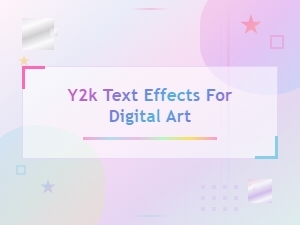 Y2k Text Effects for Digital Art